Clear Aligner Design Software: A Guide to Suvi Flow CAD
What does clear aligner design software do? Explore model preparation, setup, staging and STL production workflows with browser-based Suvi Flow CAD.
Clear aligner design software is computer-aided design software that prepares target tooth arrangements and movement stages on digital dental models. It is also called clear aligner treatment planning software or clear aligner CAD. Its output helps prepare stage models for manufacturing.
Suvi Flow is orthodontic CAD software developed in Türkiye that runs in a browser. It is intended for dentists, orthodontists and dental laboratories. It does not examine or diagnose patients. Explore the Suvi Flow workflow through actual application screens.
What does clear aligner design software do?
The software organizes the design process between the initial scan and the target tooth arrangement. Preparing only the final appearance is not enough. The direction, order and stage of each tooth movement must also be evaluated. This creates a traceable relationship between the final model and the intermediate manufacturing models.
| Process | Meaning | What to check |
|---|---|---|
| Model alignment | Positioning the upper and lower jaws in a shared frame | Preservation of the initial bite |
| Segmentation | Separating teeth into individual objects | Tooth boundaries and surface integrity |
| Setup | Creating the target tooth arrangement | The clinician’s treatment objective |
| Staging | Distributing movements across stages | Movement order and intermediate contacts |
| Export | Converting manufacturing models into files | Stage names, units and file integrity |
These steps make the design easier to understand and review. The ability to calculate a movement on screen does not mean it will occur in exactly the same way in a patient. Clinical suitability and follow-up remain the clinician’s responsibility.
How does planning progress in Suvi Flow?
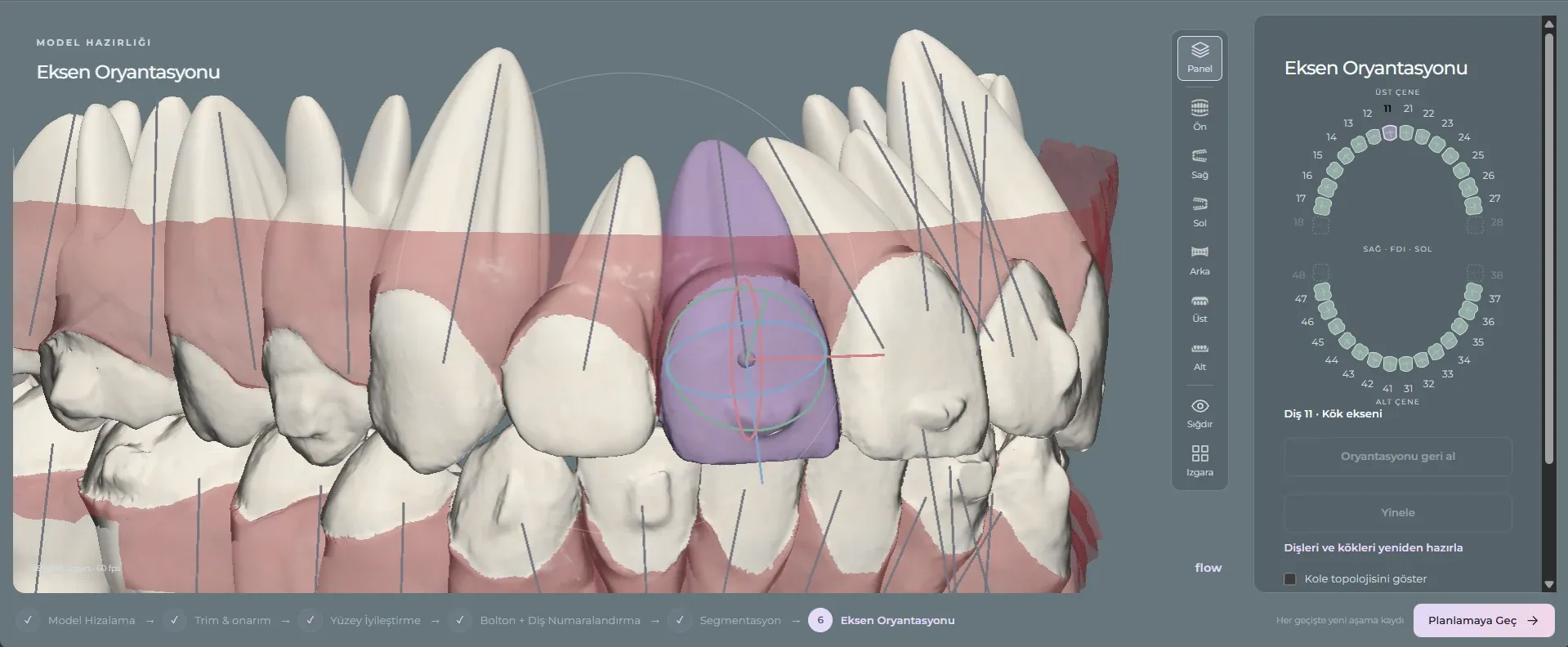
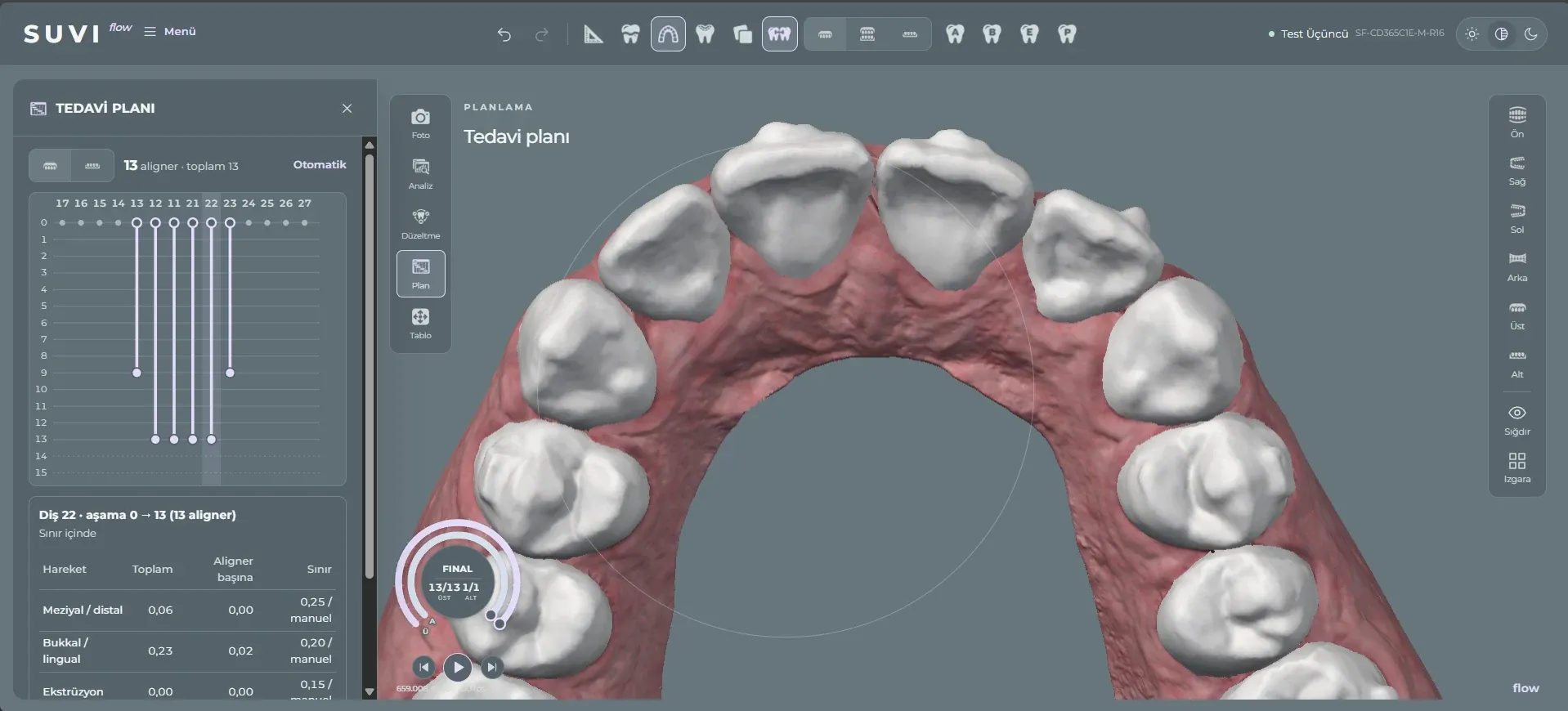
First, the upper and lower jaw models are aligned. Scan boundaries and surface issues are then evaluated. The teeth are numbered and segmented into separate objects. After checking axis directions, the target setup and movement stages are prepared.
Planning involves more than reviewing the final stage. Tooth contacts and movement distribution in intermediate stages are also checked. Even if the initial and final models look appropriate, there may be problems during the transition. The staging guide explains this distinction in more detail.
Before manufacturing, the order of the exported stages is verified. Upper and lower jaw matching is also checked. The laboratory assesses whether the files suit its printing and production workflow. These checks create checkpoints between the digital plan and physical manufacturing.
What should you check when selecting locally developed orthodontic CAD?
A software package should not be selected solely on its country of development. Ease of use, technical support, data exchange and manufacturing workflows should be evaluated together. Testing different examples from your own cases is particularly useful.
- Model control: Are important details from the initial scan preserved?
- Movement visibility: Is it clear which tooth moves and when?
- Intermediate stages: Can all stages be reviewed, rather than only the final model?
- Manufacturing output: Can exported files be opened in your production workflow?
- Support: Can a reproducible record be shared when an error is found?
An accurate description of Suvi Flow is “locally developed orthodontic CAD software from Türkiye.” A ranking claim such as “Türkiye’s first locally developed CAD program” requires comparable scope and independent evidence. This guide makes no claim of historical priority.
How does software use differ from a planning service?
In the first option, your clinic or laboratory prepares its own plan using Suvi Flow. This option is intended for professionals who want to keep digital design within their own team. Manufacturing outputs are then evaluated within your own workflow.
In the second option, you send scan records to SuviAligner. The team prepares the plan and submits it for clinician review. Manufacturing begins after approval. See the planning and manufacturing service for details.
Both options share the requirement for clinician oversight. For the patient, clear aligner treatment involves more than digital design. Examination, treatment objectives, patient compliance and follow-up are also part of the process.
Which cases should you review during a trial?
Rather than deciding from a single model, select examples with different scan characteristics. For instance, test a well-captured case separately from a scan with boundaries that are harder to identify. Compare the initial model, segmentation result and intermediate stages in each test.
Finally, open the manufacturing file in an independent viewer. Check basic details such as scale, stage count and file names. The aim is to determine whether the program fits your team’s daily work. Current terms are available in the trial and per-case pricing section.
Frequently asked questions
What is clear aligner design software?
It is computer-aided design software used to prepare target tooth arrangements and movement stages on digital dental models. It does not replace examination or clinical treatment decisions.
Is Suvi Flow orthodontic CAD software developed in Türkiye?
Yes. Suvi Flow is browser-based orthodontic CAD software developed in Türkiye. It provides a clear aligner planning workflow for clinicians and laboratories.
Does Suvi Flow require software installation?
Suvi Flow runs in a browser. Users sign in to the Flow application with their account; no desktop CAD installation is required.
How does CAD software differ from an aligner manufacturing service?
With CAD software, your own team prepares the plan. With the SuviAligner planning and manufacturing service, you send the scan, the team prepares the plan, and manufacturing follows clinician approval.
- #clear-aligner-design-software
- #orthodontic-cad
- #Suvi-Flow
- #clear-aligner-treatment-CAD